How it works
Publish and manage student results in minutes — no login required.
How to upload new result
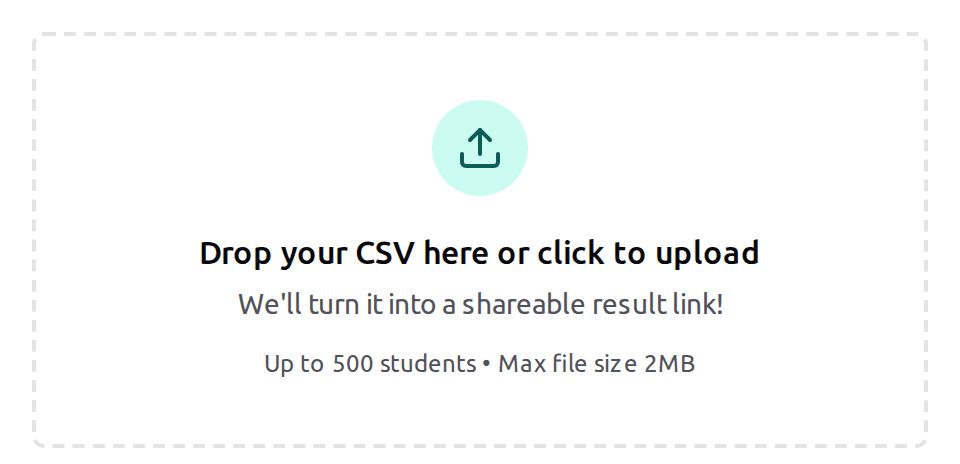
Upload your CSV file
Upload a CSV with your students' results. Any columns work — marks, grades, remarks, or whatever you already use.
For example:
Student ID, Name, Maths, Science, English, Total, Status, RemarksEach student needs something unique to look themselves up with, such as a roll number. Download sample CSV
Choose your columns
We try to detect columns automatically. Check and adjust if needed.
- Identifier (required): what students type to find their result (e.g. roll number). Must be unique.
- Name (optional): shown at the top of the result.
- Total (optional): highlighted (e.g. marks, percentage or grade).
- Status (optional): shown as a badge (e.g. Pass or Fail).
- Message (optional): remarks or feedback, shown at the bottom.
You can leave any optional field as None if you don't want to use it.
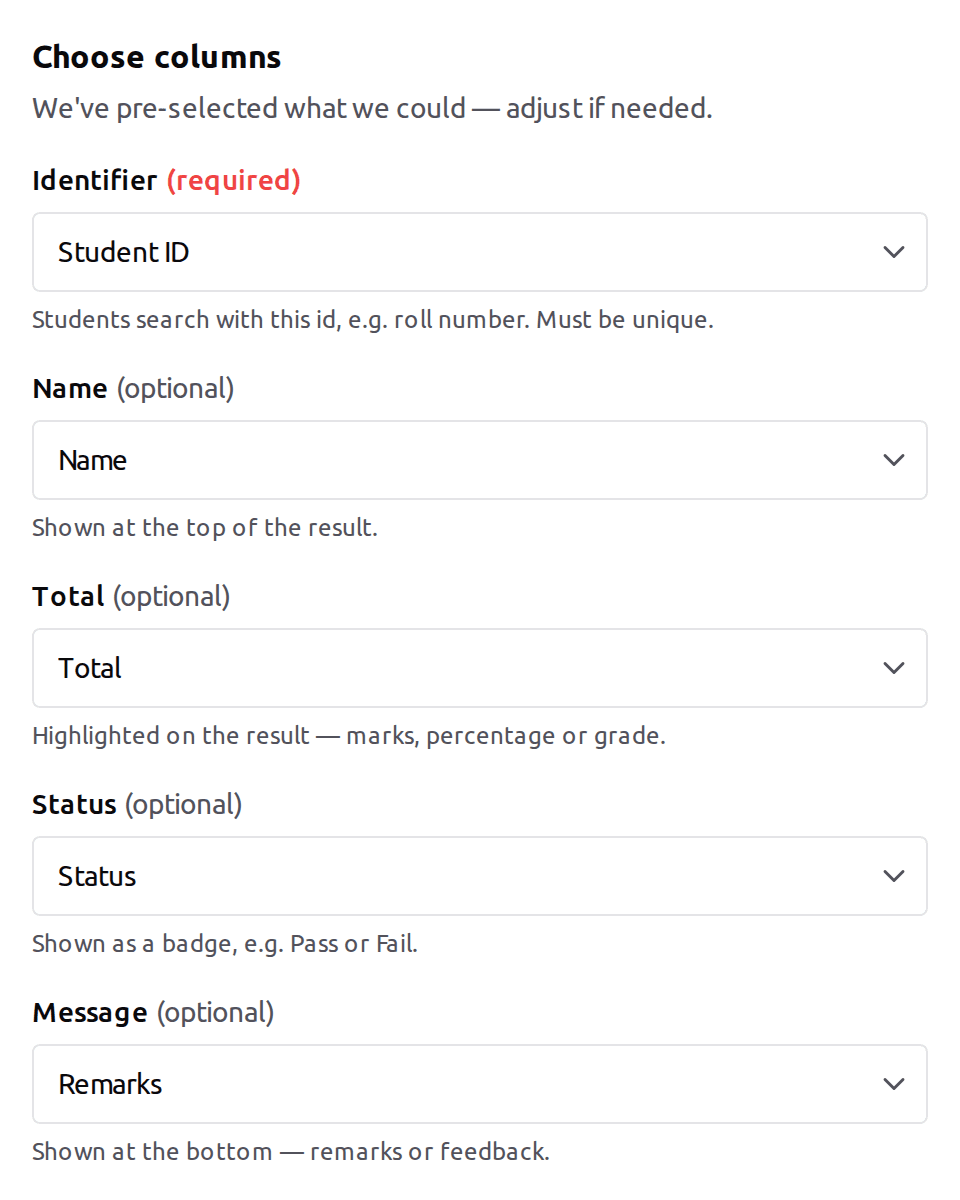
Every other column is shown as it is. Result.watch doesn't calculate anything. Include totals or grades in your CSV if you want them shown.
Get your link and admin code
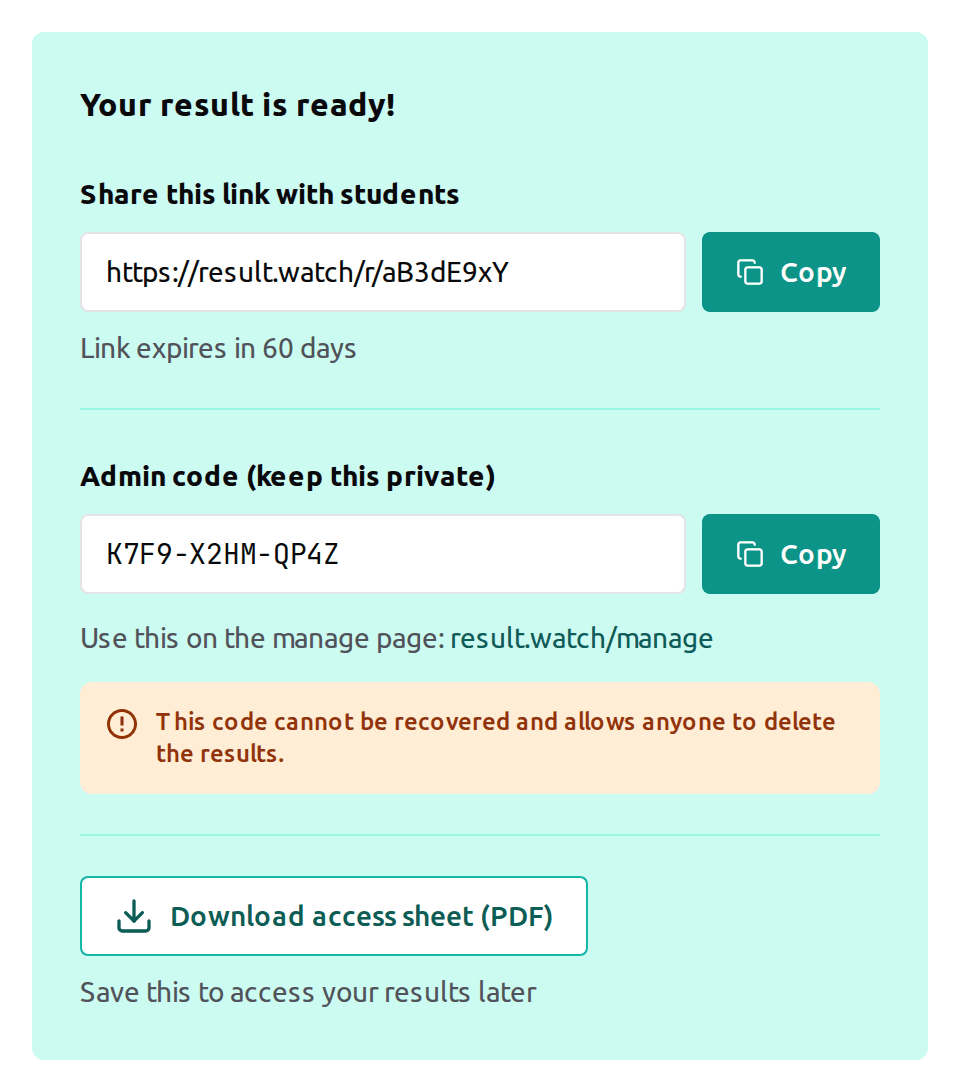
Click Generate Result Link. You get two things:
- The result link to share with your students on WhatsApp, email, or anywhere.
- Your admin code, to manage the results later. Keep it private.
Good to know
- No account or login required.
- Fix a mistake, hide or delete results any time from the manage page, with your admin code.
- Result links expire after 60 days.
- Each upload supports up to 500 students and 2MB file size.
How to manage uploaded result
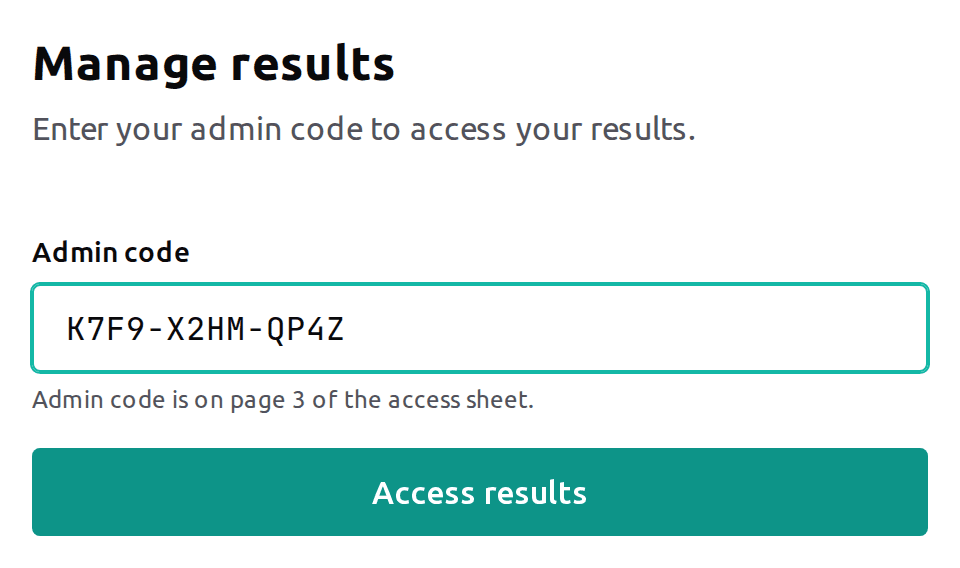
Open the manage page
Go to result.watch/manage and enter your admin code. It's on page 3 of the access sheet you downloaded after publishing.
See who checked their result
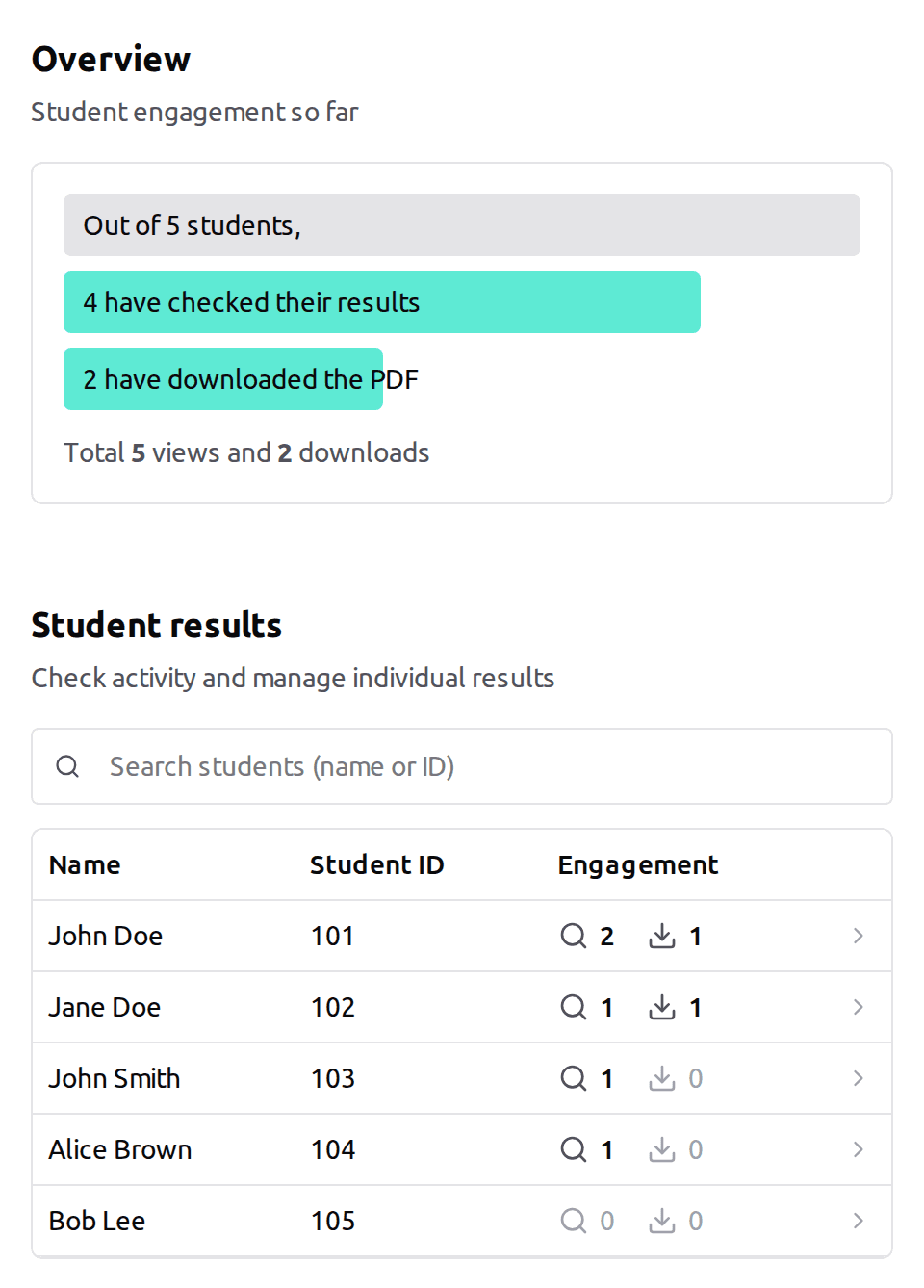
The overview shows how many students have viewed their result and downloaded the PDF. It updates on its own every 30 seconds.
Below it, every student is listed with their views and downloads. Search by name or ID to find someone quickly.
Fix or manage one student
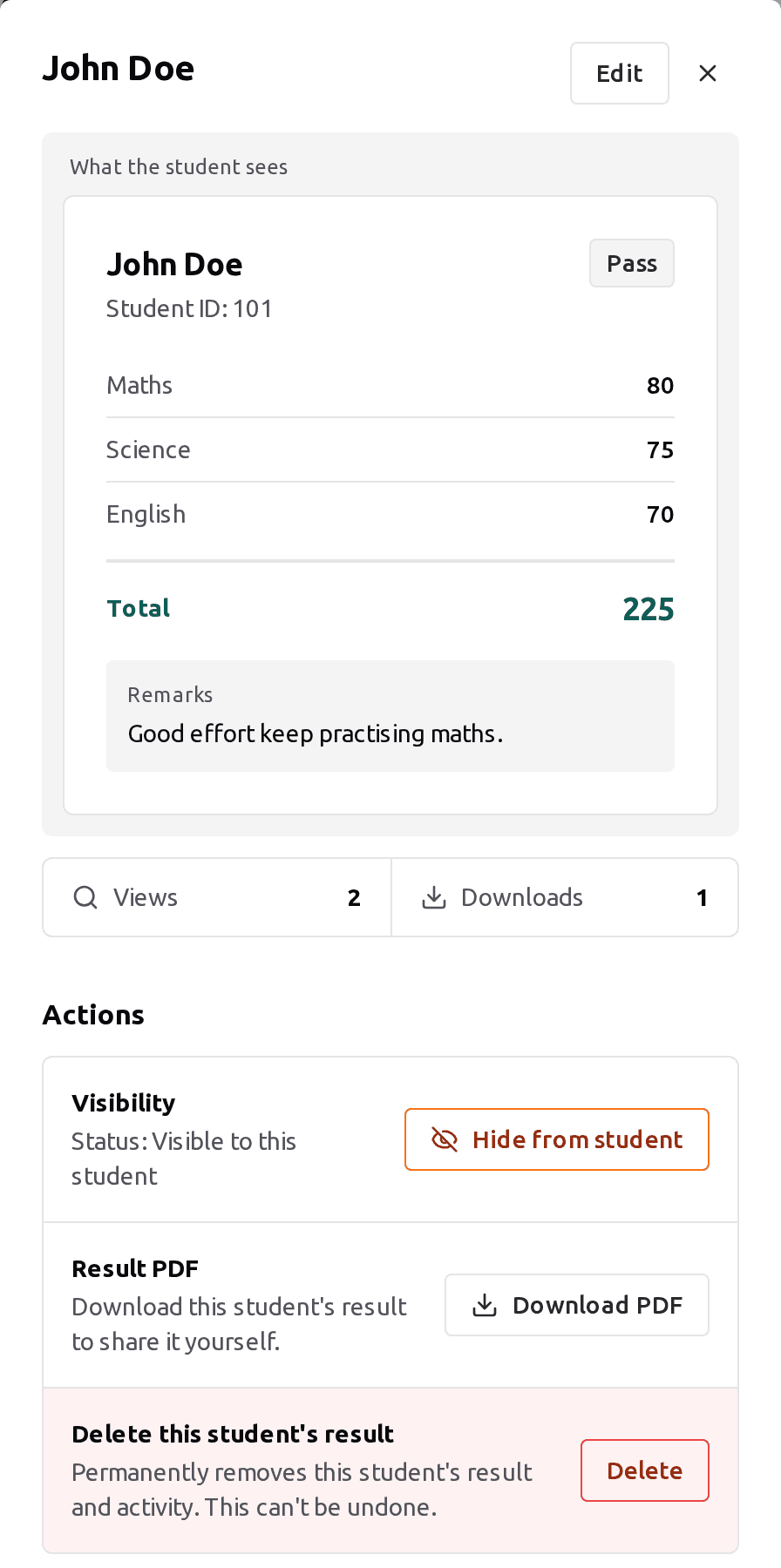
Click a student to see their result exactly as they see it. From there you can:
- Edit marks or remarks, with a live preview. Their ID can't change.
- Hide their result for now, or show it again.
- Download their PDF to share it yourself.
- Delete their result.
Manage the whole result
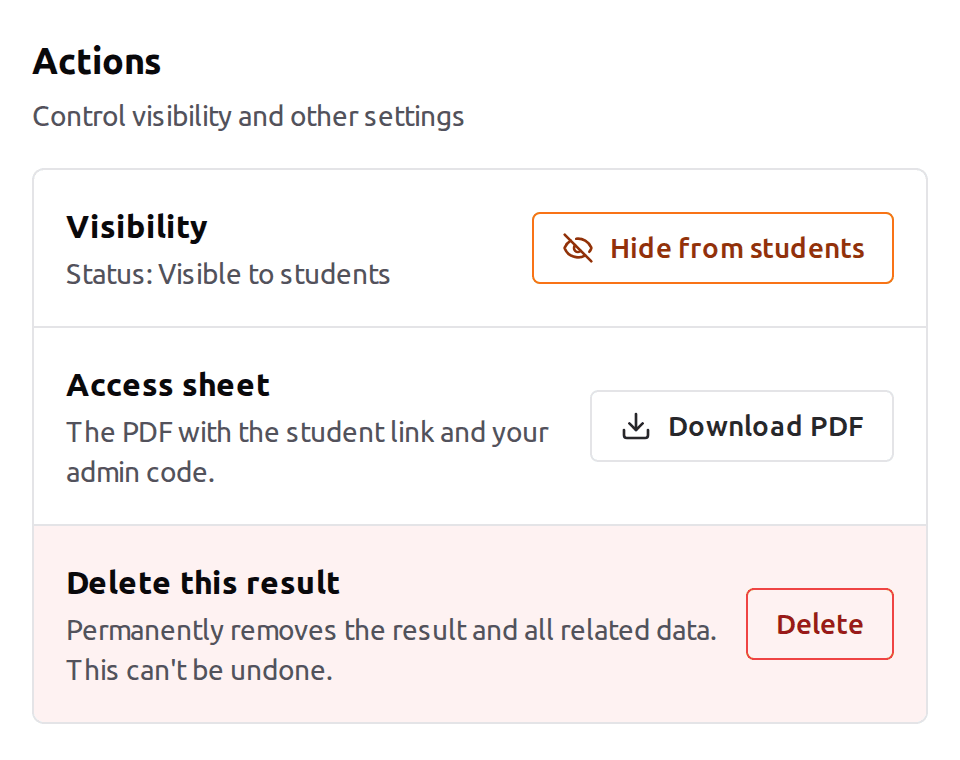
Under Actions, hide the result from all students (the link stops working until you show it again), download the access sheet again, or delete everything permanently.
Check the activity log
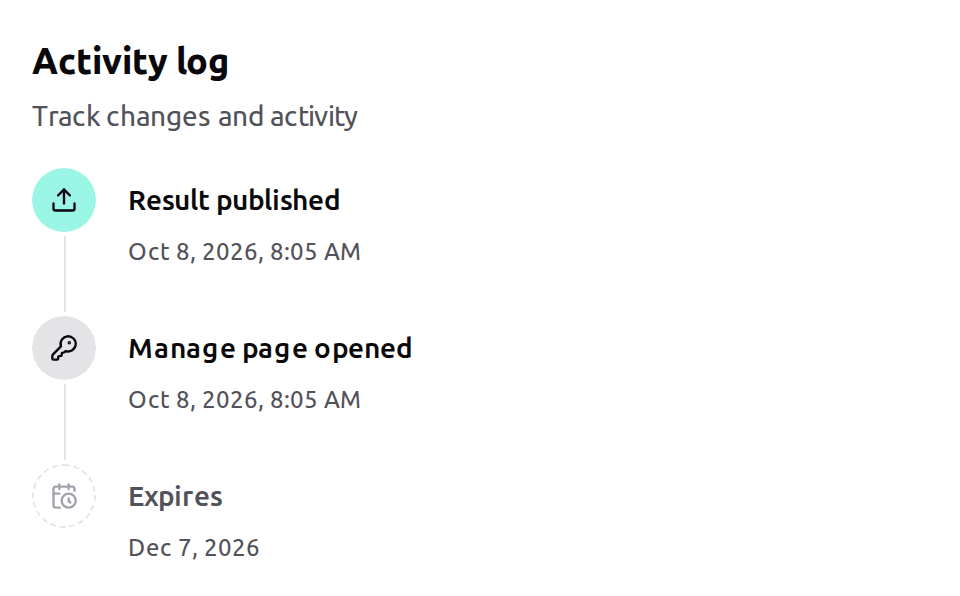
The Activity log keeps a record of every change: when you hid or showed the result, edited a student, and more. It also shows when the result expires.
How will student check the result
Open the link
Students open the result link you shared. No app or account needed: it works in any browser, on a phone or a computer.
Find their result
They enter their roll number (or whichever identifier you chose) and see their result. They can also download it as a PDF.
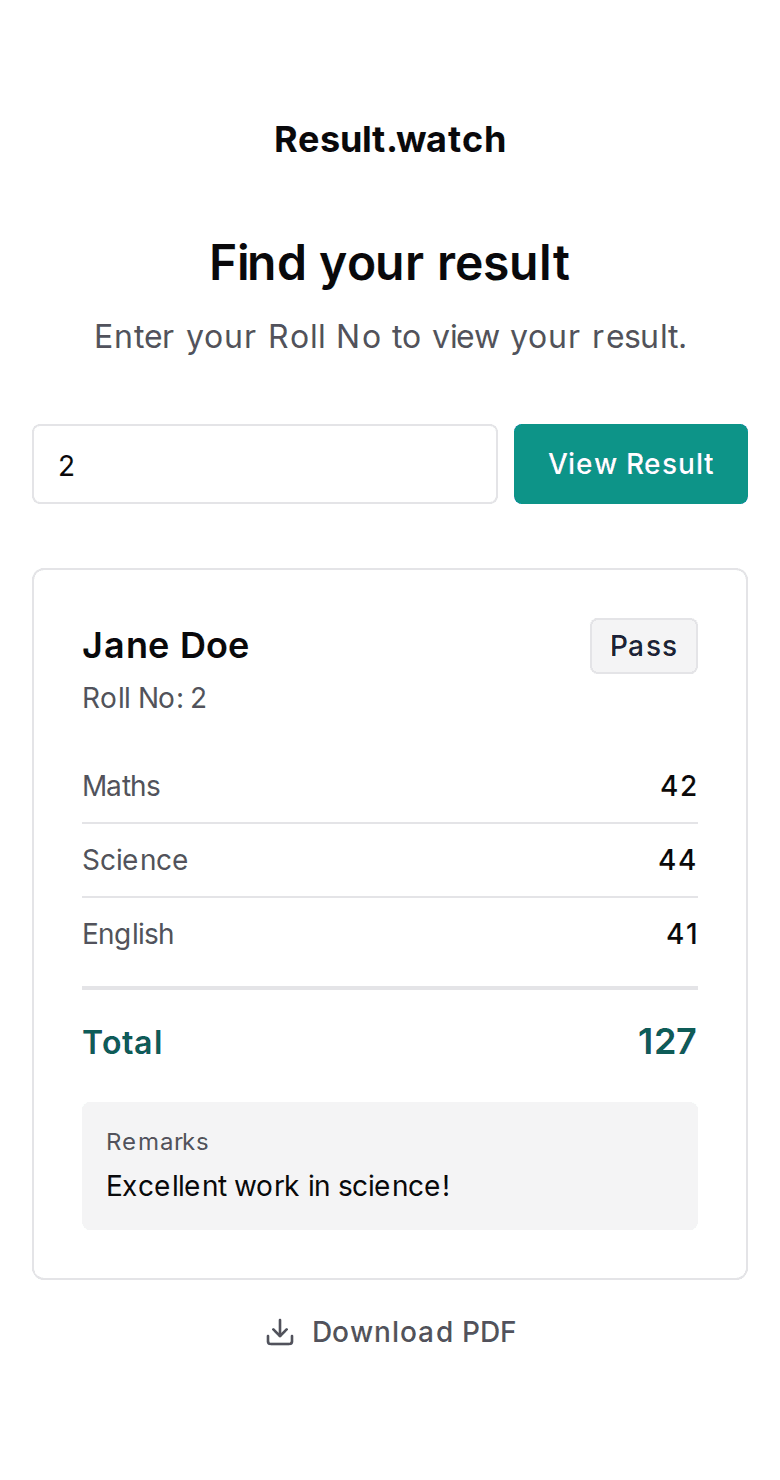
If you've hidden the result, students see a message that it isn't available right now instead.
Have questions? Contact here